 Camille Laurent
Employee
- See your step and the next one
- Know how ready you are, and the skills to work on
- Explore other paths in the company
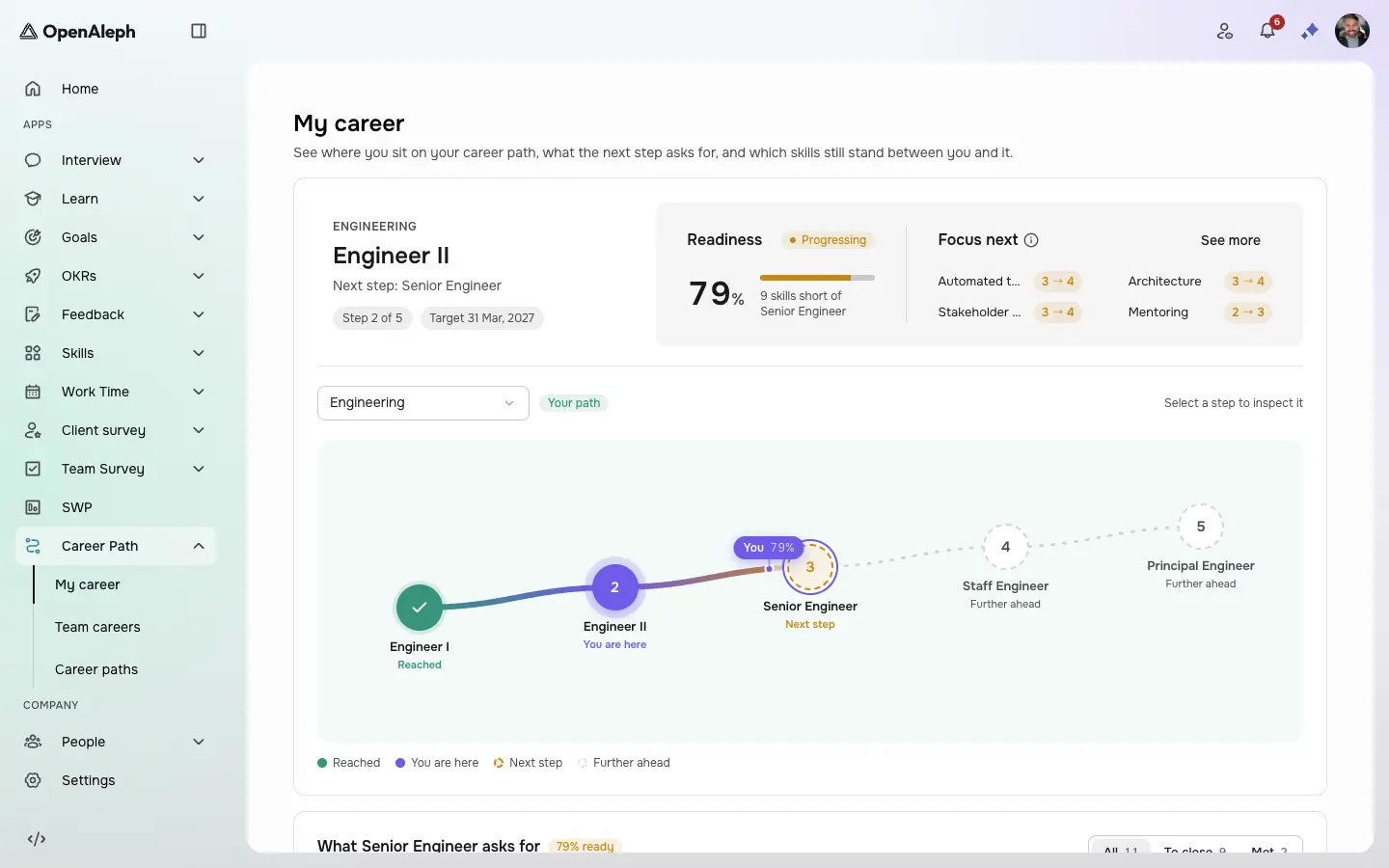
Career Path turns your job titles into career ladders. Each step asks for skills at a set level, and each person sees where they stand, how ready they are for the next step and which gaps to close — from their latest skill reviews.
Step 1 of 3
How ready you are
Your current step, the next one, and how ready you are for it — with the skills to focus on first.
How ready you are. Your current step, the next one, and how ready you are for it — with the skills to focus on first.
Product screens with sample data. Click the dot to move on.
Also in Career Path
What the tour doesn't show.
Once every bar is met, an admin promotes the person to the next step's job title.
Admins assign a path to one person or many, with a target date.
Career Path comes with its own licence — ask us about it.
By role
Camille Laurent Maxime Rousseau
 Sarah Dubois
Everyone knows what the next step asks for.
Promotions rest on the same bar for everyone.
Managers see who is ready, and who is close.
Book a live demo and we'll tailor the walkthrough to how your team would use Career Path.
Book a demo