 Camille Laurent
Employee
- See the clients you're assigned to
- Read their answers as they come in
- Get an email when a client answers
Send short satisfaction surveys to the clients you serve, by email, and keep every answer on the client's page — with the team members who serve each client told when they answer.
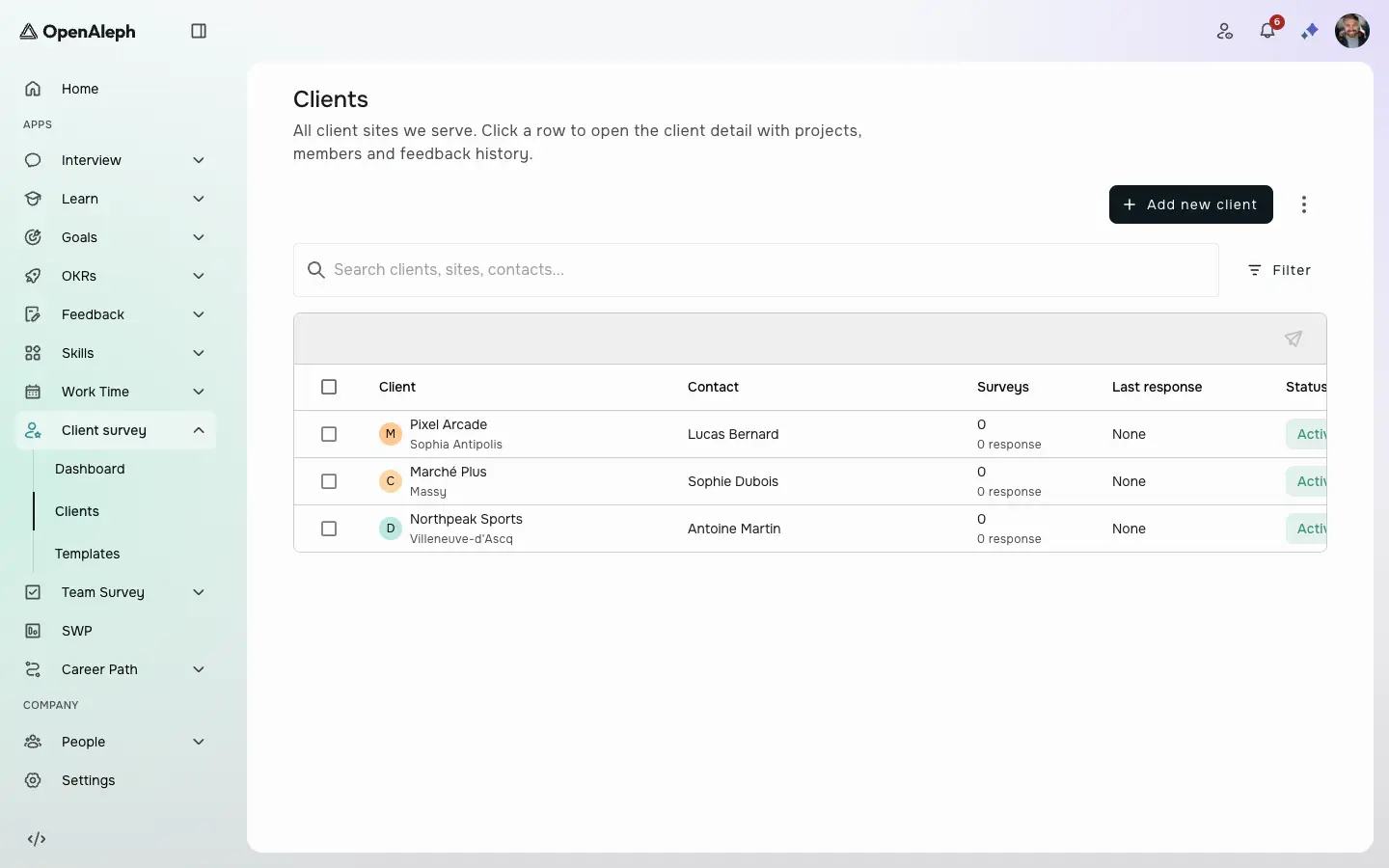
Step 1 of 2
Your clients, in one list
Each client with its location, its contact, the surveys sent and the last answer.
Your clients, in one list. Each client with its location, its contact, the surveys sent and the last answer.
Product screens with sample data. Click the dot to move on.
Also in Client survey
What the tour doesn't show.
Bring your client list in from an Excel file, with a report of what was created, updated or skipped.
Send one template to several clients; those still waiting on the same survey are skipped.
The team members on a client get an email with the overall rating as soon as it answers.
Export the surveys and their answers, or the client list.
The email and the answer page are in English or French.
Clients open the link and answer on a phone, a tablet or a computer.
By role
Camille Laurent Maxime Rousseau
 Sarah Dubois
Every client's satisfaction history, in one place.
The people who serve a client hear what that client says.
Clients answer in a minute, with no account to create.
Documentation
Step-by-step documentation for everything you can do in Client survey, for employees, managers and admins.
All 12 Client survey guidesBook a live demo and we'll tailor the walkthrough to how your team would use Client survey.
Book a demo