Writing a training module with AI: lesson, quiz, audio and translation
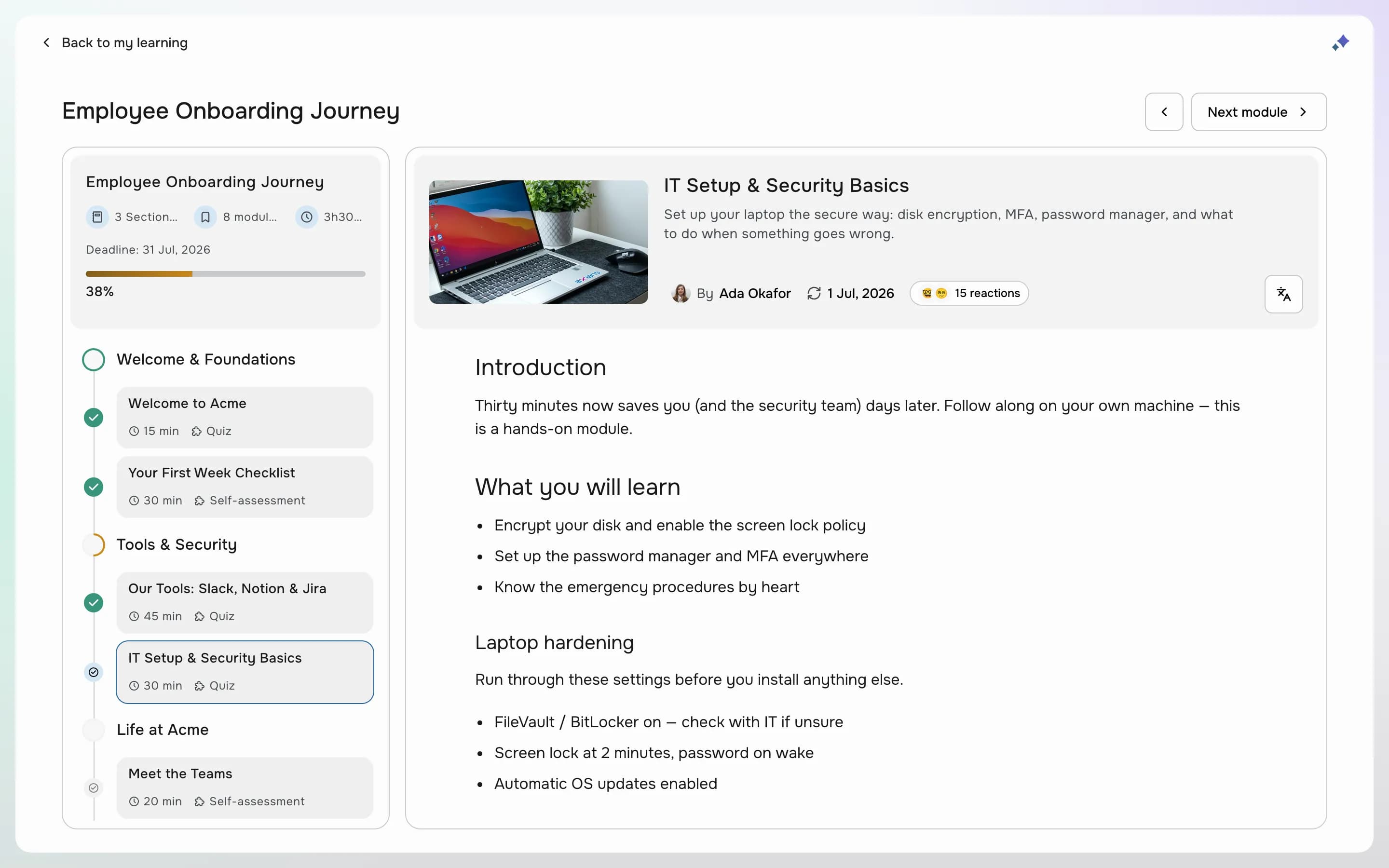
Ask a training manager where their week goes and the answer is rarely "teaching". It's writing modules, building quizzes, recording voice-overs and chasing translations. AI won't decide what your people need to learn, but it can take on most of the production, as long as someone who knows the subject stays in charge of what gets published.
Start from a clear brief
A module is a short unit with one goal. Before asking AI for anything, write its title, a one-line description and what a learner should be able to do at the end. In Learn, Aleph AI, in beta, starts from that title and description, so a precise brief gives a usable first draft and a vague one gives a generic page.
Draft the lesson, then edit it like a draft
Ask for the lesson in plain terms: "an introduction to GDPR basics with three examples", "make the tone more casual", "shorten the second part". Insert what works into the module and rewrite what doesn't. Add your own material where it matters: the internal process, the real screenshot, the example from your industry. Aleph AI can also change the title, the description or the duration when you ask, and the last change it made can be undone.
Generate the evaluation from the content
Every module ends with one evaluation: a self-assessment against the learning objectives, a quiz, or a face-to-face evaluation reviewed by an expert. Aleph AI writes it from the module itself: the objectives, multiple-choice questions with the right answers ticked, or open questions. Read every question. A quiz in Learn needs 100% correct answers to pass, so one ambiguous question blocks learners who understood the lesson.
Add an audio version
Not everyone learns in front of a screen. Generate an audio narration of the module, with a female or male voice, a short, default or long length, and a line on the tone you want. Learners then get a play button on the module, and can listen in the mobile app.
Translate once the original is right
Translate last, when the primary version is final, or every fix has to be made several times. Learn translates a module into English, French, German, Italian, Spanish and Swedish, with its title, description, evaluation and audio if you choose, and learners pick their language on the module. Have a native speaker read each translation before you publish it.
Keep a human in the loop
- Nothing the AI writes is published on its own: it goes into your draft until you publish.
- Check every fact, figure and policy against your source.
- Read every quiz question as a learner would.
- Listen to the audio before publishing it.
- Ask a native speaker to read each translation.
Products in this article
See OpenAleph for yourself
Book a walkthrough built around your team.
More articles
- EngagementFrom answers to actions: running an engagement surveyAn engagement survey is easy to send and hard to use. Anonymity, questions, results and the next round: how to run one people trust and HR can act on.
- GoalsOKR or individual goals: which one, and whenBoth are called objectives, and companies often run one when they need the other. What OKR and individual goals are each for, and how to write key results that measure.
- SkillsHow to build a skills matrix from a competency frameworkA skills matrix usually starts as a spreadsheet and stops being true the day a job changes. Here's how to build one from a framework, review cycles and a talent matrix.