From answers to actions: running an engagement survey
Sending an engagement survey takes an afternoon. Getting honest answers, reading them properly and doing something visible with them takes much longer, and that's where most surveys stop. The next year, fewer people answer, because last year's answers went nowhere.
Decide on anonymity before you launch
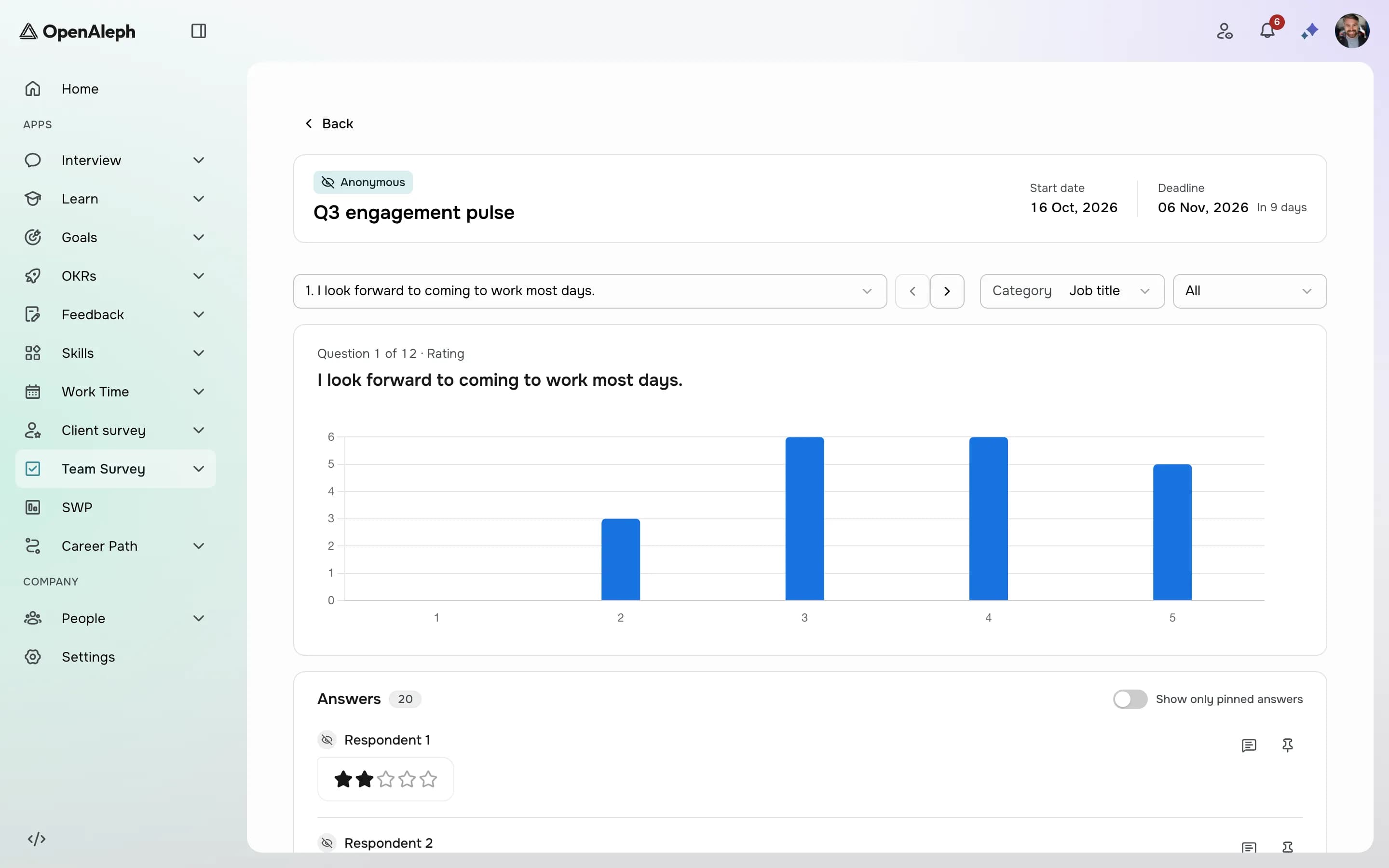
People answer differently when their name is attached. Decide before launch, and say it clearly. In Survey, anonymity is a switch on each campaign, off by default, and the invitation email tells participants which it is. Once the campaign is running, the setting is locked in both directions, so an answer given anonymously never gets a name attached later. In an anonymous campaign, names are left out of the results and the exports, not just hidden on screen, and a filter covering fewer than five respondents shows no answers, so nobody can isolate a small team.
Anonymity has a limit worth telling people about: open answers are shown as written. Someone who mentions their own project in a comment can be recognised by it.
Ask fewer questions, and ask them well
A survey people finish beats a complete one they abandon. Use rating questions for what you want to measure, multi-choice where the options are clear, and one or two open questions where you want to be surprised. Group questions into short chapters. The questionnaire is frozen when the campaign launches, so check it before, not after.
Read the results by group
An average across the company hides most of what matters. Read each question with its chart, then filter by an employee attribute such as department, site or job title to see where answers differ. Pin the comments that say it best, so everyone reading the campaign finds them. With Aleph AI, in beta, the people running the campaign can generate a synthesis of the answers, and names are never sent to the AI, anonymous campaign or not. Export everything to Excel if you want to work on it further.
Close the loop, then run the next round
The survey isn't finished when the results are in. Share what you heard with the people who answered, pick two or three actions and name who owns them. When it's time for the next round, relaunch the campaign: the new draft keeps the questionnaire, the anonymity setting and the participants, and each round keeps its own results.
Before you send it
- Decide on anonymity and say it in the invitation.
- Make sure the attributes you'll filter by, like department or site, are filled in on every profile.
- Choose who runs the campaign and reads the results, and give them a co-pilot.
- Keep it short enough to answer in under ten minutes.
- Set a deadline, and plan one reminder before it.
- Book the date when you'll share the results before you launch.
Products in this article
See OpenAleph for yourself
Book a walkthrough built around your team.
More articles
- GoalsOKR or individual goals: which one, and whenBoth are called objectives, and companies often run one when they need the other. What OKR and individual goals are each for, and how to write key results that measure.
- SkillsHow to build a skills matrix from a competency frameworkA skills matrix usually starts as a spreadsheet and stops being true the day a job changes. Here's how to build one from a framework, review cycles and a talent matrix.
- ReviewsAnnual reviews people actually prepare forA form filled in the night before, a meeting spent reading it aloud, a document nobody opens again. Here's how to run annual reviews where both sides arrive prepared.