Running a 360° feedback campaign people trust
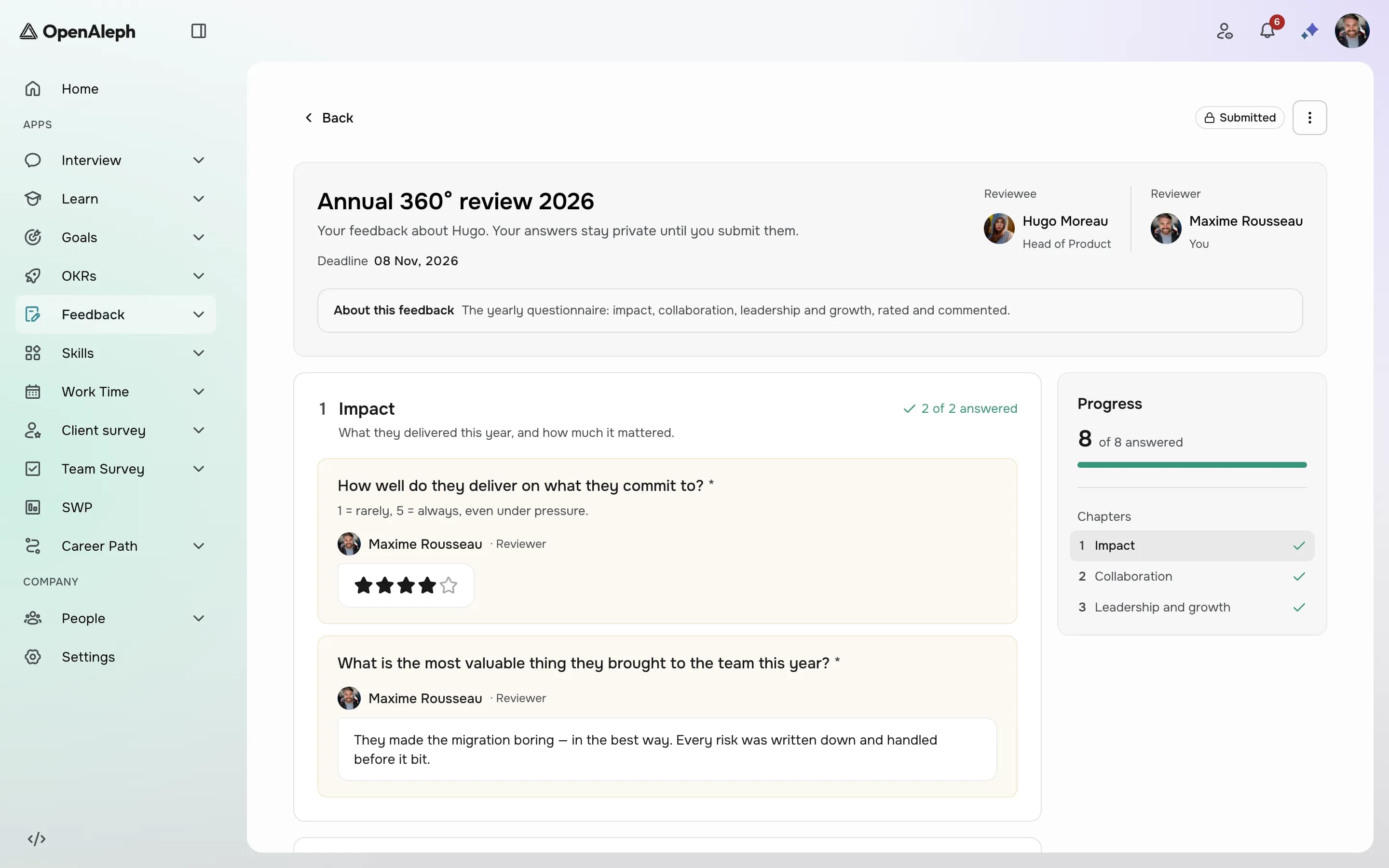
A 360° review promises a fuller picture of someone than their manager alone can give: what peers, direct reports and the person themselves see. Most of the time it delivers polite, vague answers instead, because reviewers aren't sure who will read them, and the person reviewed gets a long document and no conversation. Both problems are fixed before launch, not after.
Decide who reads the answers, and say it
Reviewers write differently depending on who will read them, so tell them up front. In Feedback 360, answers are named: the person in charge of the review, the reviewee's managers and HR see who wrote what, and there is no anonymous mode. Reviewers never see each other's answers. Whether the reviewee can read the answers is an option you choose at launch, and it can't change afterwards. Put all of this in the questionnaire's introduction, in plain words.
Named feedback isn't a weakness if everyone knows it's named. It tends to be more specific and more constructive, and it can be followed up. If you need answers nobody can trace, run an anonymous survey instead, about a team rather than a person.
Choose reviewers who actually work with the person
A 360 is only as good as its reviewers. You can let OpenAleph pick them: up to five per person, drawn first from peers who share the same manager, then the manager, then direct reports. The person in charge can add or remove reviewers, and you can let reviewees choose their own. Turn on the self-review so the person's own view sits next to everyone else's.
Ask about behaviour, not personality
"Is she a good communicator?" invites an opinion. "How clearly does she share decisions with the team?" invites an example. Keep the questionnaire short, mix a few rating questions with open ones, and ask each open question about something a colleague could have observed. Templates can be translated, so reviewers answer in their own language.
Read each person's results in one place
Every reviewee gets one page with every submitted answer, question by question, and a PDF for the people allowed to read it. With Aleph AI, in beta, the person in charge can generate a synthesis of what reviewers said. It never names the reviewers, and because it knows which answers are the self-review, it can point out where the person sees themselves differently from their colleagues. The campaign owner can also generate a synthesis of the whole campaign.
Plan the conversation that follows
A 360 nobody discusses changes nothing. Before launch, decide who will walk each person through their results, when, and what comes out of it: one or two things to keep doing, one to change. The synthesis is a starting point for that conversation, not a replacement for it.
Before you launch
- Decide whether reviewees will read the answers, and write it in the introduction.
- Check that managers are right on every profile: they set peers, and they read the results.
- Ask for three to five reviewers per person, from different angles.
- Keep the questionnaire under fifteen minutes per reviewee.
- Turn on the self-review.
- Book the follow-up conversations before the deadline.
Products in this article
See OpenAleph for yourself
Book a walkthrough built around your team.
More articles
- EngagementFrom answers to actions: running an engagement surveyAn engagement survey is easy to send and hard to use. Anonymity, questions, results and the next round: how to run one people trust and HR can act on.
- GoalsOKR or individual goals: which one, and whenBoth are called objectives, and companies often run one when they need the other. What OKR and individual goals are each for, and how to write key results that measure.
- SkillsHow to build a skills matrix from a competency frameworkA skills matrix usually starts as a spreadsheet and stops being true the day a job changes. Here's how to build one from a framework, review cycles and a talent matrix.